
Product Overview
HDD Docking Station
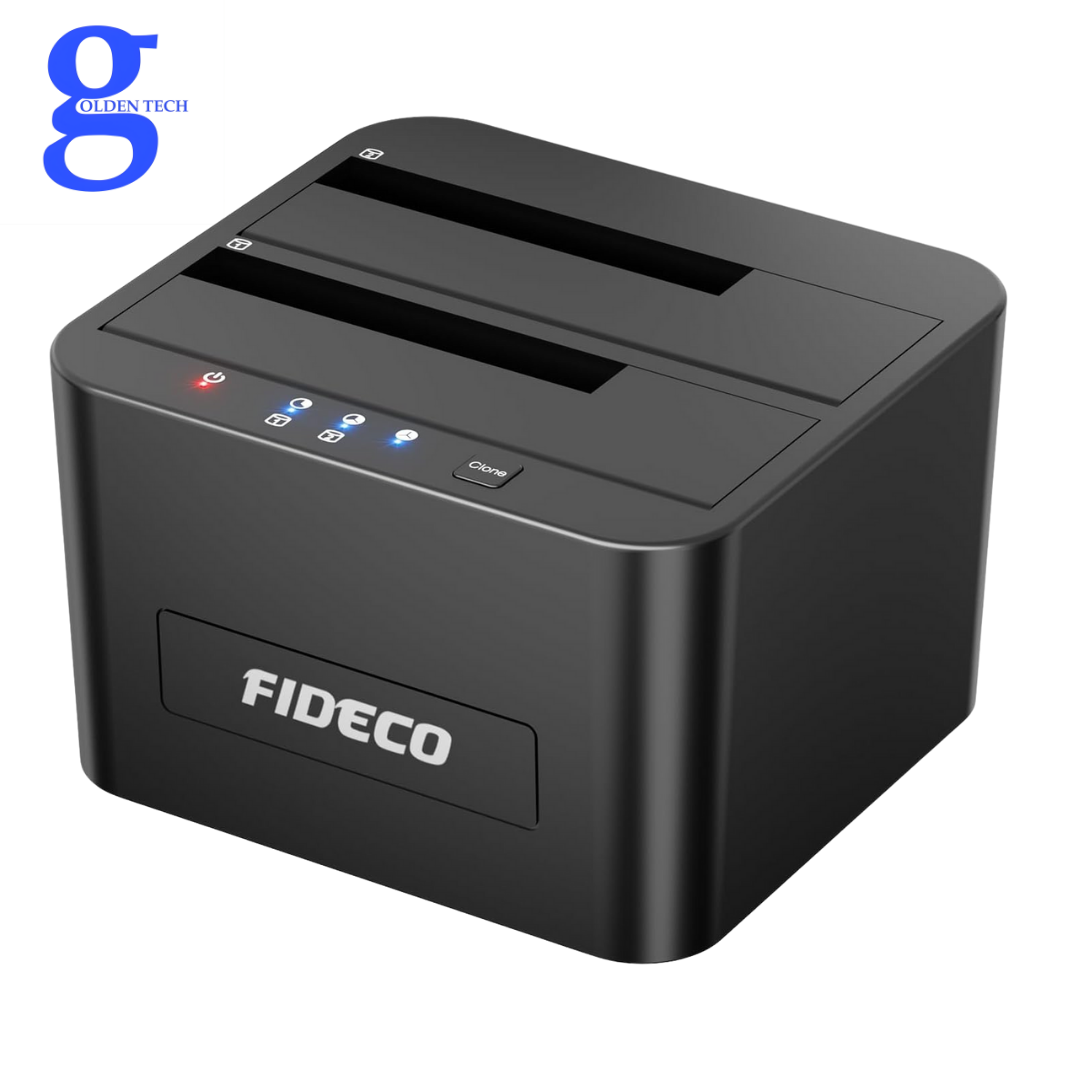
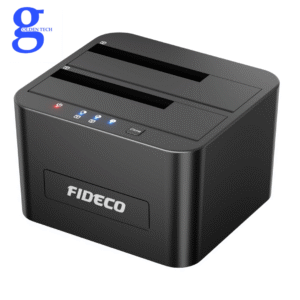
Our FIDECO HDD docking station helps you easily access your old SATA hard drive by connecting it to your computer. It can also be used as an external storage device to add more storage space for your laptops or desktops.
Supported HDDs/SSDs: The FIDECO HDD docking station supports all 2.5/3.5-inch SATA I/II/III HDDs/SSDs. The maximum supported HDD capacity is up to 16TB. Please note that it does not support any IDE hard drives.
Max High Speed 5Gbps: Thanks to the USB 3.0 port, the maximum data transfer speed can reach 5Gbps. Transfer 1GB files in just seconds! Our HDD docking station is also compatible with USB 2.0 to meet your potential needs.
Compatible System: The FIDECO docking station is widely compatible with Windows, Mac OS, and Linux operating systems. Just plug and play, no driver needed!
Easy Operation: No complicated operating steps at all! Simply insert your SATA HDD/SSD, connect the USB cable and power adapter respectively, then turn on the power switch.
USB 3.0 HDD Docking Station
SATA HDD Docking Station
HDD Docking Station
Supported HDDs/SSDs
FIDECO docking station is compatible with 2.5″ and 3.5″ SATA HDDs/SSDs with tool-free installation. Please note that it does not support IDE HDDs.
Smart Chip
Our docking station is integrated with a smart chip to maintain safe and stable data transfer with lower power consumption.
Helpful LED Indicator
When you turn on the power switch, the red power light will illuminate. The blue lights will turn on when the HDD is recognized and will flash during data reading or writing.
HDD Docking Station
Warm Note for Offline Clone:
Please back up all data from the source HDD before offline cloning.
Please ensure there are no bad sectors on both HDDs, otherwise, the cloning may fail.
Please ensure the capacity of the target HDD must be equal to or greater than the capacity of the source HDD.
When the cloning process is complete, all three blue lights (25%, 50%, 100%) will illuminate. If all three blue lights flash together, it means the cloning process failed.
For offline cloning, no computer is needed! Please do not connect the HDD docking station to your computer until the cloning process is complete.
About Us:
FIDECO Technology has specialized in computer accessories for over decades. We have the ability to design and develop various HDD/SSD docking stations, SATA/IDE adapters, M.2 SSD enclosures, and more. We believe you can always get what you prefer from our store. What we offer is not only a great product but also the best service ever.
Important Note:
For a new HDD/SSD, please go to “Disk Management” to initialize it first, then the HDD/SSD will be recognized.
For partitioning, if your HDD/SSD capacity is over 2TB, please choose a GPT partition.
Please back up all your data before formatting the HDD.
For Mac OS, the format should be set to exFAT.
Package List:
1* HDD Docking Station
1* 12V Power Adapter
1* USB 3.0 Cable
1*

Reviews
There are no reviews yet.